Case Study · Website Strategy, UX, Development & SEO
Design and development of a complete medical complex websiteThis study documents the design and development of the Mohamadia Medical Complex website in Saudi Arabia. The project started with a full backup of the old website, then Egessia rebuilt it from scratch on the same domain and developed a connected system for departments, doctors, offers, booking, reviews, permissions and security, with a manageable, expandable Arabic RTL and English LTR experience.
The real challenge
The ask wasn't to beautify the old website; it was to rebuild it without losing the digital asset.
The old website needed a full reorganization of structure, content and user experience. So the task started with a full backup preserving the files, database and important content before any change on the domain.
After that, work started from zero on a new structure connecting the patient journey to the administration's work: a clear department, the right doctor, a linked offer, organized booking, bilingual content, and precise permissions instead of giving every user broad access.
An old version that didn't reflect the project's size and didn't work as one system
- A page and content structure that needed reorganizing.
- An unclear relationship between department, doctor, offer and booking.
- Operational edits that depended on repeated technical intervention.
- General admin permissions not tailored to each employee's role.
- A need for clearer protection and monitoring layers.
A rebuilt website and an operating system that can be managed and expanded
- A backup and rollback reference before starting work.
- A completely new experience on the same domain.
- Custom plugins for departments, doctors, offers and booking.
- Detailed control over roles, menus and permissions.
- Multi-layer security with reviewable automatic blocking.
From the old version to launch
A calculated rebuild, not a random replacement of the website.
Every phase was designed to reduce the risk of data loss or domain downtime, while keeping important content reviewable and recoverable when needed.
- 01
A full backup
Saving the website files, database, content and media before touching the old version.
- 02
Content and link inventory
Reviewing the pages, links and data that must be preserved or reorganized.
- 03
Building a new interface and structure
Designing a new mobile and desktop experience instead of patching the old layout.
- 04
Developing the custom systems
Creating independent plugins for departments, doctors, offers, popups and bookings.
- 05
Linking, permissions and security
Connecting data, preparing roles, and testing security layers without stopping natural crawling.
- 06
Testing, launch and review
Checking both languages, links, forms, mobile, performance and booking paths before launch.
The previous version is never deleted and no sensitive paths are changed before a rollback copy exists and a clear test of its replacement is done.
The strategy
One medical system, not a set of separate pages.
The content structure and relationships were built first, then the interface was designed around how the patient thinks and how the reception and admin team works.
Egessia Medical Departments
A custom system for creating an independent page per department and managing its description, services, image, FAQ and links, connecting the department to doctors, offers and the booking form instead of repeating content manually on every page.
Egessia Doctors
Adding and editing doctor profiles from the dashboard, with photo, specialty, title, experience, services, qualifications, schedules and display order, plus name search, department filtering and a direct booking path.
Egessia Smart Offers
Managing offers categorizable by campaign, department and offer type, with price, details, duration, image, status, display order and linking to the department, doctor and booking, so the offer appears in its right place instead of being posted as a separate image.
Egessia Popup Offers
An independent popup-offer system supporting multiple campaigns, activation and deactivation, countdown, frequency control and a don't-show-again option, with the offer name passed automatically to the booking form.
Egessia Booking
A smart booking form that captures the booking source and its context, fills in the department, doctor or offer when available, then logs the request in an organized format and prepares a clear message for the reception team and WhatsApp.
Google reviews integration
An organized display of the overall rating, review count, selected reviews and their original Google links, with a button to open the business profile and leave a review, showing trust evidence the visitor can verify outside the website.
Egessia Access Control
A detailed control system that detects WordPress, plugin, content-type and menu capabilities, creates or copies custom roles, supports multiple roles per user, hides menus and blocks direct access, with an audit log, settings backup, restore and rescue mode.
WP Ghost - reducing the footprint and exposed paths
Changing and hiding common WordPress paths and reducing the information automated scanning tools rely on, while keeping the new paths inside settings known to the admin. This is a hardening layer, not a replacement for the firewall and scanning.
Wordfence - firewall and security scanning
Running a WordPress-level firewall, scanning files, changes and security issues, and protecting login with event logs and alerts, as a monitoring and prevention layer independent from path changing.
Egessia AutoBlock - automatic blocking tied to WP Ghost
A custom Egessia plugin that captures threat attempts detected by WP Ghost, blocks the IP address from reaching the website, logs the reason and time, and allows manual unblocking, with trusted search crawlers and indexing-critical paths excluded and reduced repeated database writes.
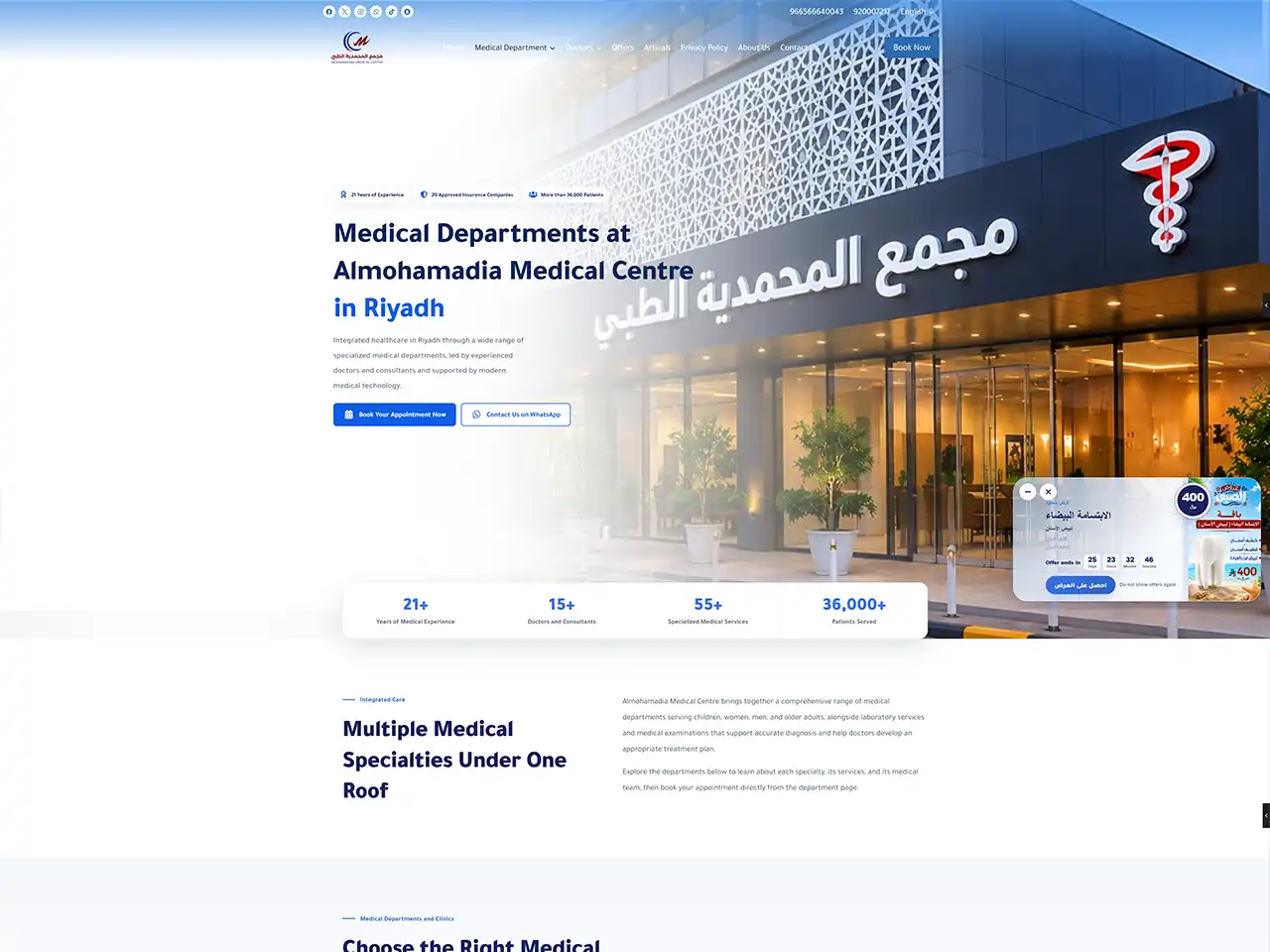
Arabic RTL + English LTR
The English version is not word-swapping inside the Arabic design; direction, alignment, element order, arrows, icons and links were adjusted, and counterpart pages were linked so each language works as a complete experience.
A tour inside the project
Actual screenshots of the core pages with links for direct review.
The following shots are actual images kept in the project documentation. Any card without a valid image is removed automatically so no empty areas or inaccurate placeholder shots appear.
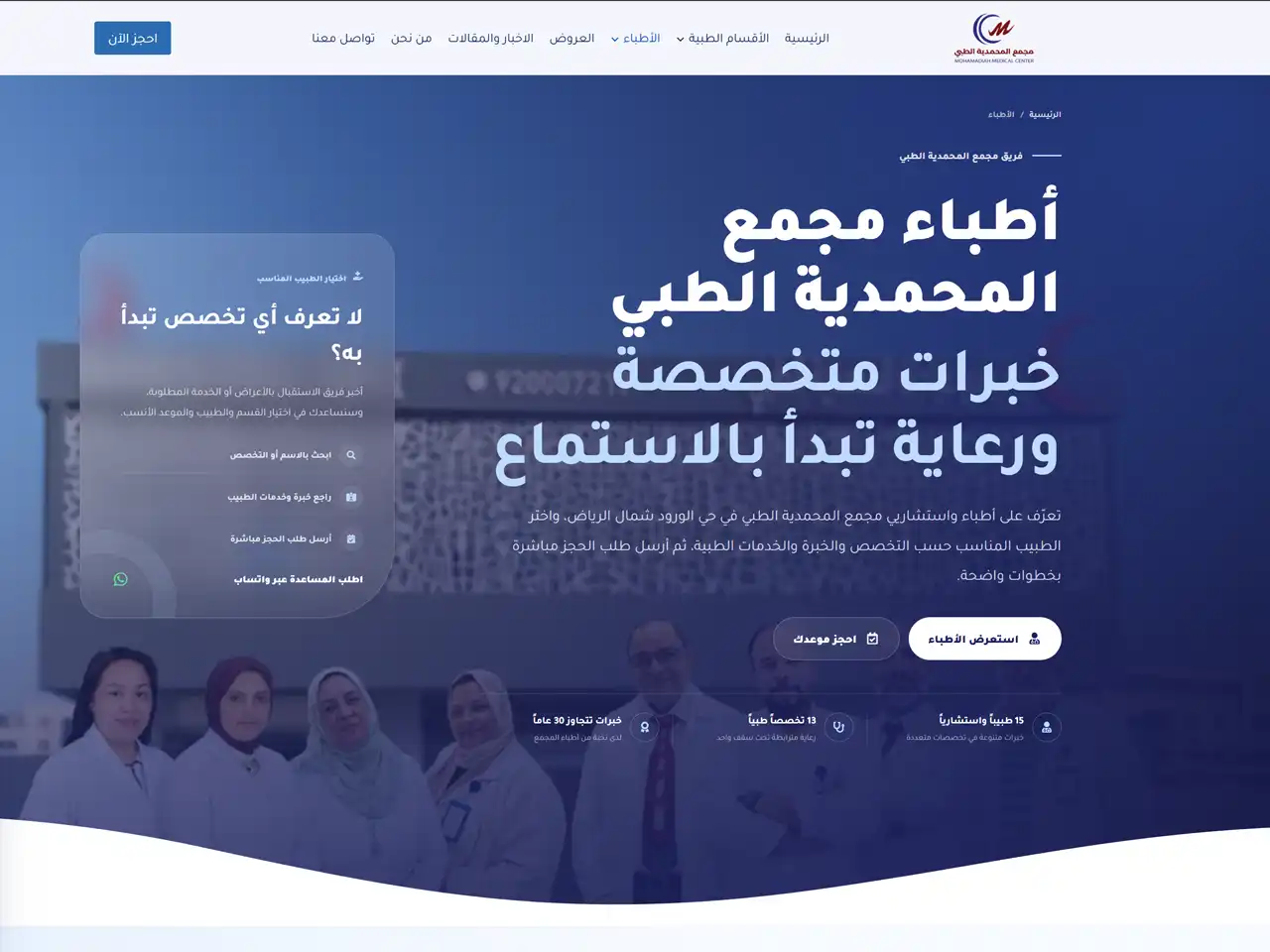
Home page
A complete medical platform combining specialties, doctors, insurance, reviews and booking.
Open pageDoctors directory
Name search and specialty filtering, with detailed profiles and a clear booking path.
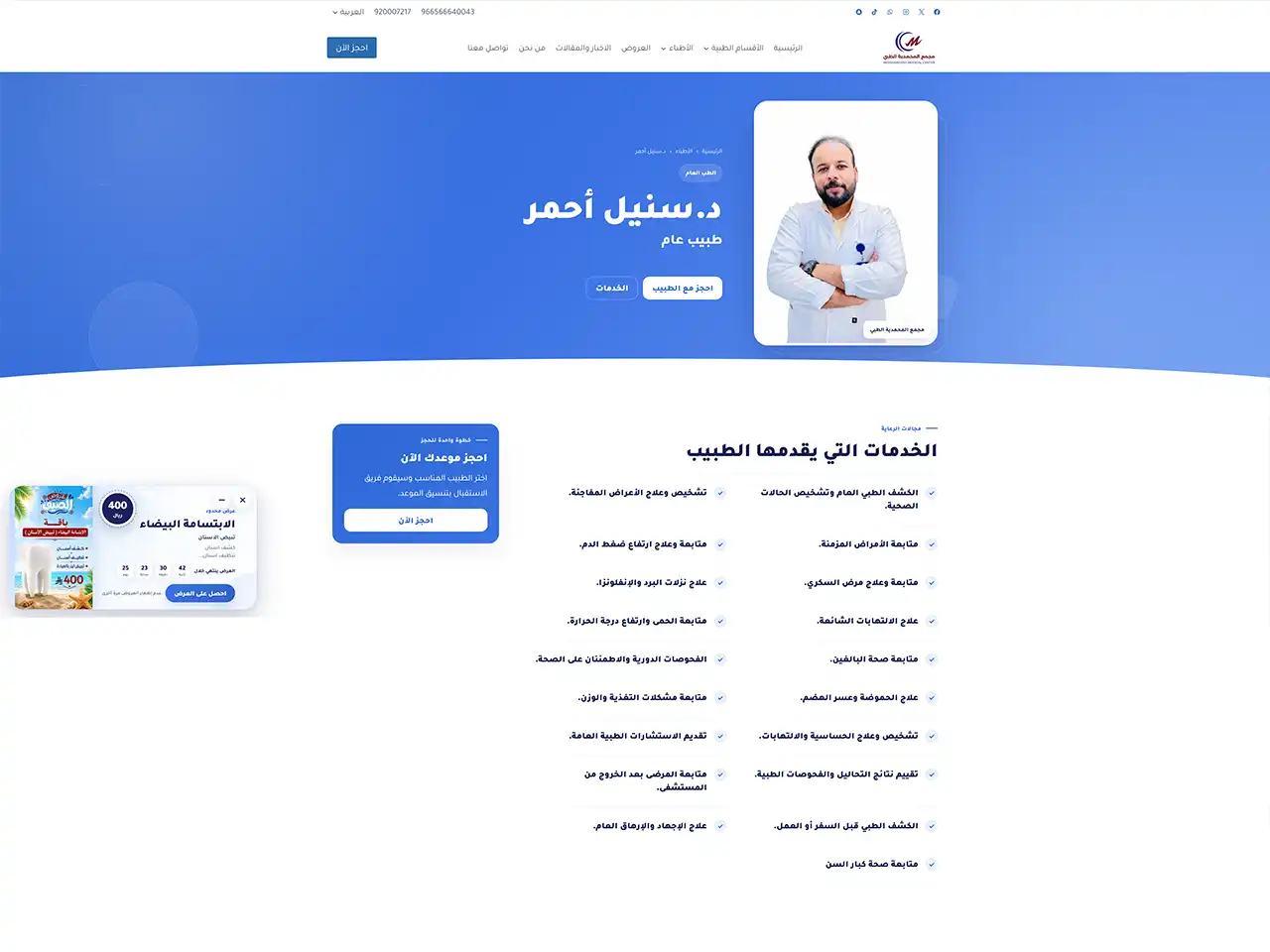
Open pageDoctor profile
An independent page showing experience, services and schedules, supporting the patient's decision.
Open pageBooking and contact
A booking form linked to department, doctor and offer, routing to WhatsApp.
Open pageThe dashboard
Administration controls the system without touching the design.
The following interface explains how the system works, followed by an independent gallery of actual dashboard screenshots. Before publishing, usernames, patient data, IP addresses, license keys and secret paths are blurred, while the visible functions and menus remain proof of the execution scope.
Doctors and schedules
Dr. Hala SalamaObstetrics & Gynecology · 33 years
PublishedDr. Hany RamzyGeneral Surgery · over 30 years
PublishedDr. Khaled BadranDentistry · over 25 years
PublishedLinking the department to doctors and offers
Managing the popup offer and booking
Monitoring suspicious activity
Repeated login attemptIP address blocked automatically at the website level
Suspicious file upload requestThe request was rejected and logged for review
Trusted search crawlerAccess allowed without affecting indexing
Dashboard documentation
Actual screenshots of the systems built to manage the website.
Dashboard overview
Menus and custom systems after hiding sensitive data.
Medical department management
The department list, publish status and order.
Adding and editing a medical department
Basic data, services, image and content.
Linking the department to doctors
Choosing the doctors linked to the department.
Linking the department to offers and questions
Content relationships that appear automatically on the department page.
Doctor management
The doctor list, specialties and publish status.
Adding a doctor profile
Photo, title, experience, qualifications and services.
Doctor schedules and display order
Managing timetables and priority inside the directory.
Medical offer management
The offer list, prices, campaigns and departments.
Editing a medical offer
Offer details, price, duration and linking.
Offer categories
Campaigns, departments and offer types.
Egessia Smart Offers settings
Display settings and the system's general behavior.
Popup offer management
Popup campaigns, status and priority.
Editing a popup offer
Image, counter, frequency and booking link.
Popup settings
Display and frequency control.
Bookings log
Patient requests after hiding any personal data.
Booking settings
Fields, linking and the WhatsApp message.
Egessia Access Control panel
An overview of roles, permissions and menus.
Role capabilities editor
Capabilities with warnings for critical permissions.
User and multi-role management
Assigning roles by each member's responsibility.
Menus and direct-access blocking
Hiding admin items and applying protection to the URL itself.
Egessia AutoBlock
A log of blocked IP addresses, reasons, and the unblock action.
WP Ghost and Wordfence settings
Safe shots without showing login paths or license keys.
Arabic RTL · English LTR
Two languages with two proper experiences, not just a translate button.
Reading direction, element order, icons, arrows, alignment and navigation paths were handled in both the Arabic and English versions.
The technical structure
A calm interface over independent systems that can be maintained and developed.
Core functions were separated into custom plugins instead of putting everything in one file or relying on hard-to-track edits, with attention to compatibility with WordPress, Elementor, Kadence and Polylang.
Organized content types and relationships
Doctors, departments, offers and bookings are independent entities, linked from the dashboard instead of copying data inside pages.
A maintainable plugin system
Every critical function has a clear scope, settings and permissions, which reduces the impact of changes and makes testing and updating safer.
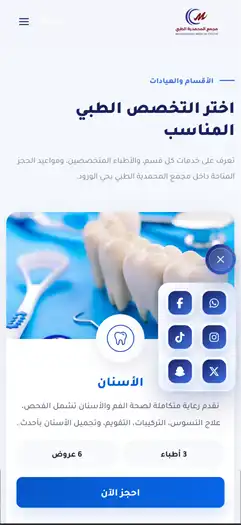
Responsive and mobile-first
Testing the department, doctor, offer, popup and booking interfaces on mobile, tablet and desktop.
SEO setup from within the structure
Independent pages, clear headings, internal links, alt texts, structured data and crawlable paths instead of relying on a closed JavaScript interface.
Images and performance
Using WebP and lazy loading for non-critical images, fixing image dimensions, and reducing reliance on external screenshot services inside the case study.
Permissions by actual role
The employee sees only what they need, with direct access blocked even if they try to open a disallowed admin page URL.
Backup, restore and audit
Backing up role, user and menu settings, importing and exporting settings, a log of sensitive events, and an emergency restore mode.
Multi-layer security
Path changing and footprint reduction, firewall and file scanning, then custom reviewable automatic blocking, without claiming 100% breach prevention.
WP Ghost · Wordfence · Egessia AutoBlock
Three integrated layers instead of relying on a single security plugin.
WP Ghost reduces the common paths and fingerprints automated tools target, Wordfence provides a firewall, scanning and login monitoring, while Egessia AutoBlock adds an automatic enforcement layer that turns threat events into reviewable, unblockable bans.
- Reducing the attack surface: Hiding or changing common paths and blocking legacy requests per settings.
- Blocking and scanning: WAF, file and change scanning, alerts and login attempts.
- Automatic response: Logging the reason, time and IP address, then blocking at the website level.
- SEO safety: Excluding trusted search crawlers and necessary paths instead of blocking by name alone.
- Human control: Searching the log, adding exceptions, and unblocking after verifying a legitimate request.
Security reduces risks and doesn't guarantee a breach is impossible; updates, backups and continuous review remain a core part of operations.
Verifiable evidence
Trust here is built on a live project and clear documentation of the work scope.
Instead of generic phrases like "best design" or "complete protection", the case study shows what was executed, where it can be seen, and what can't be published for security and privacy reasons.
The live project link
You can open the Mohamadia Complex website and review the departments, doctors, booking, offers, reviews and both language versions directly.
Visit the live website ↗Images hosted on the Egessia domain
The page uses actual project documentation images, and hides any element whose image fails to load instead of replacing it with a generic image that could suggest work that doesn't exist.
A defined work scope
Rebuilding the website, developing custom systems, bilingual support, booking, offers, permissions, linking and security, without attributing undocumented results or performance numbers.
Publishing limits
Patient or user data, IPs, license keys and secret login links are not published. Functions are shown after sensitive data is hidden.
The result
The result is not just a new interface; it's a digital asset serving the patient, administration, marketing and security at the same time.
The patient understands the specialty, service, doctor and next step quickly.
Booking and contact buttons are distributed at decision points instead of being left on one page.
Updating content, relationships, offers and bookings with permissions suited to each member.
An expandable structure, rollback copies, precise permissions, and reviewable security instead of temporary fixes.
"A proper medical website doesn't just display information; it organizes the patient journey and turns content into a clear booking step."Egessia Digital Marketing Solutions

For medical complexes and clinic groups
Turn your website from an intro front into a marketing and booking system that can grow.
We review the current version, backups, patient journey, doctor, department and booking pages, Google visibility, permissions and security, then decide whether it's better to develop the website or rebuild it.
- Website
- egessia.com
- WhatsApp and call
- +20 122 299 9788
- info@egessia.com
- Scope of work
- Egypt · Saudi Arabia · the Gulf · Arab countries
Questions about the project
Before building a complete medical website
Was the old website modified or rebuilt?
A full backup was taken first, then the website was rebuilt from the beginning on the same domain, moving and organizing the content and data worth keeping inside the new structure.
Which custom plugins did Egessia develop for the project?
The medical departments, doctors, medical offers, popup offers, bookings, member and permission control systems, and the AutoBlock plugin tied to WP Ghost events.
Can the administration add a doctor, department or offer without going back to the developer?
Yes. Content was separated from design, so items, links, schedules and offers can be added, edited and ordered from the dashboard according to each user's permissions.
How do dashboard member permissions work?
Roles can be created or copied, a user can hold more than one role, capabilities and menus can be tuned, direct access can be blocked, and the audit log can be reviewed, with protection that prevents deleting the last admin or locking the administration out of the website.
Is WP Ghost alone responsible for security?
No. WP Ghost is a footprint-reduction and path-changing layer, Wordfence provides the firewall, scanning and login protection, while Egessia AutoBlock executes the reviewable automatic blocking. No plugin guarantees absolute protection.
Can automatic blocking affect Google?
The plugin was designed to exclude trusted search crawlers and necessary paths, with review and unblock available. Logs should still be monitored and any new security change tested.
Is the English version just machine translation?
No. It was handled as an independent LTR experience in direction, alignment, element order and links, with pages connected to their Arabic counterparts.
Why don't dashboard screenshots appear if they weren't added?
The gallery doesn't publish empty items. An image only appears after a real working link is set, and it's hidden automatically if loading fails, so the case study stays visually documented without misleading placeholders.